Questions and discussion for this lecture live here. Fire away by hitting Reply below 
Hi @Sean,
I’m concerned about this: why does pressing the button to set “node_index” also update the “node” and “coordinate” tables, even though they belong to “node_prop_group” and “node_index” is unrelated?
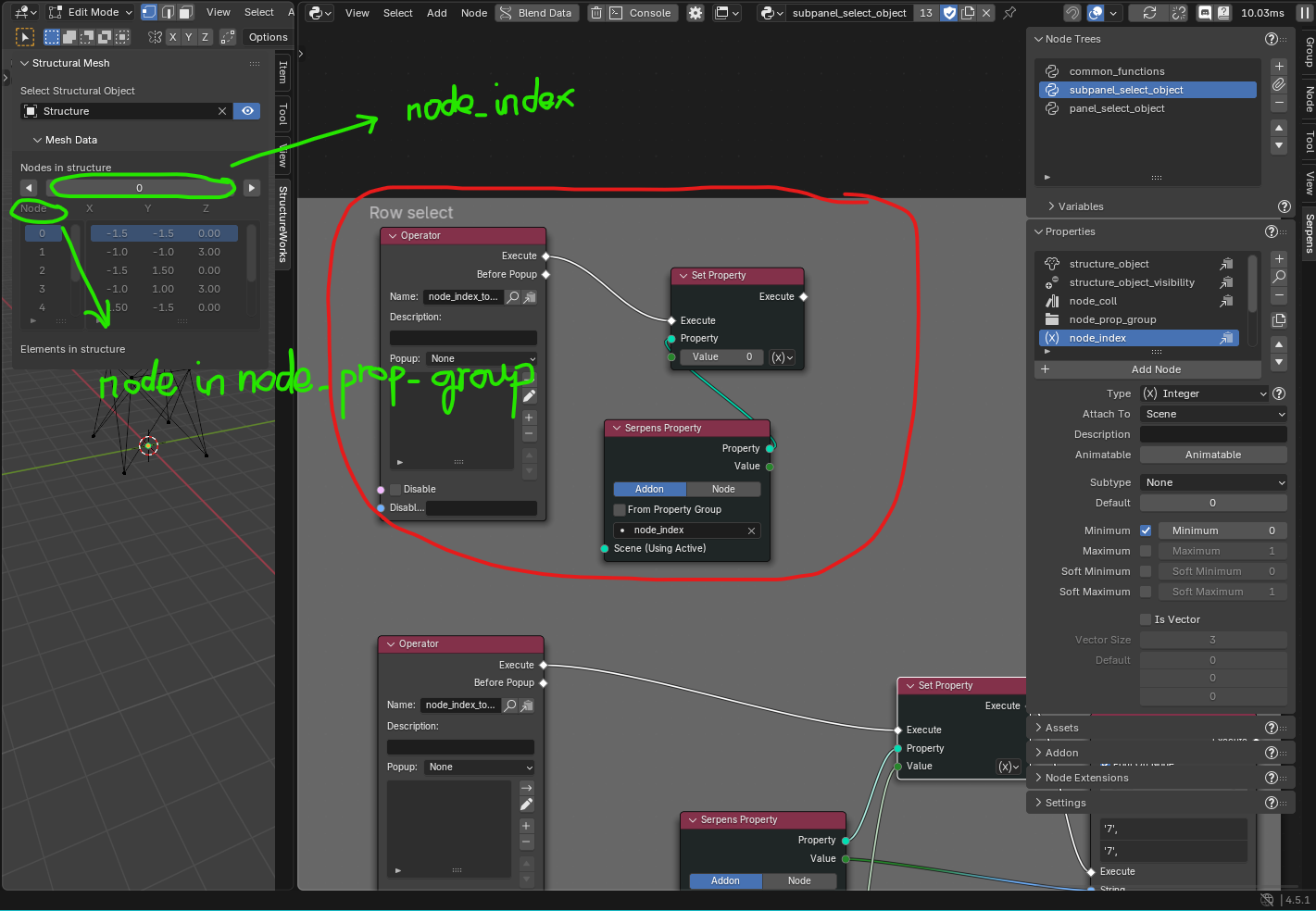
@Phu_Nguyen - the node_index property is used to keep track of which item within the collection (in this case the node_coll collection) is active or selected. Since we use node_index to indicate the active item in the list, when we update the index property, the active item in the list also updates.
Hi @Sean,
I’ve watched lesson “22. Implementing row select functionality for nodes” and successfully implemented it in Blender. I noticed users can freely modify the numbers in the node coordinate list and any positive value is allowed for the node_index. StructureWorks Addon 0.2.0 behaves the same way.
Is this intentional by design?
Could you explain how to prevent users from modifying displayed property values for Addon created by the Serpens Add-on?
Specifically:
a) make a property read-only/locked in the UI while still showing its current value and
b) for node_index enforce a maximum value limit at Runtime taking account Collection Length.
Thank you!
Hi @Fortunato_Siano,
This behaviour is not intentional…it’s more a consequence of not spending the time to address all of the possible edge cases and unintended user behaviours (otherwise the course would never end!!)
Off the top of my head I can’t explain how to achieve (a) or (b)…this will require a little digging on my end. I’m less optimistic that we can make a property read only (for example node coordinates or indices in the UI lists) since these lists are meant to be user-editable by default in Blender.
When it comes to enforcing a max/min value on node indices - we can (and do) do this so that clicking on the increment/decrement buttons will respect our limits - but I don’t think we can stop a user actually clicking into an editable field and typing in any number they like.
I suppose, one thing to remember is that we’re somewhat constrained by the ‘norms’ of how Blender expects users to interact with and use the UI. In many cases there will be work-arounds but in some there won’t. That said, if you fully embrace the Python API for addon development (as-opposed to building with Serpens), more doors are open to you. I’ve seen Blender addons do so many crazy things that I’m convinced anything is possible if you go the traditional route for addon development. But that’s a little beyond the scope for this course.
I hope that was somewhat helpful.
Seán